Sell My Car Hub

How to fill out Massachusetts TTL104

Two jobs on one sheet, and the tick at the top decides which. Add a lienholder to a title, or correct information printed on the title itself - a misspelled name, a wrong body style, a name changed by marriage. $25 either way, the original certificate has to go in the envelope, and the Registry posts the corrected one back.
Written against TTL104 (TTL104_0822, August 2022), issued under M.G.L. c.90D. Amending a title and correcting an assignment are different problems with different forms and both cost money, so read which one you have before paying. If the mistake is in something the Registry printed, it is this form. If the mistake is in something a seller wrote on the back, it is the notarised affidavit - and sometimes a duplicate on top of it.

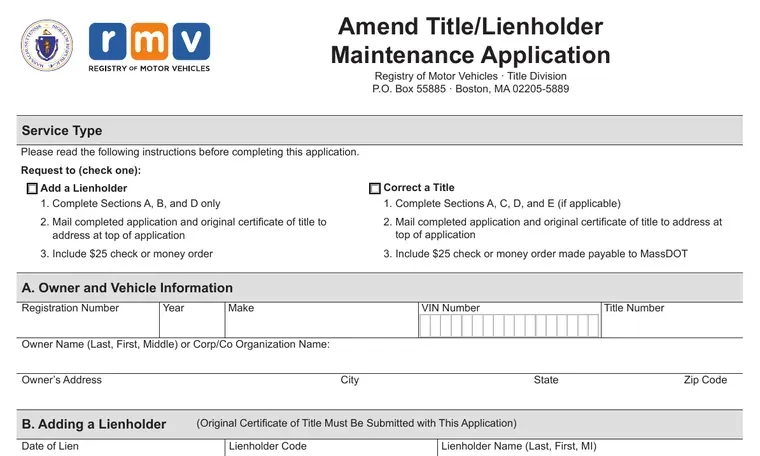
Two documents, and they are not the same thing. Take the blank TTL104 from the mass.gov copy so you get the revision that is current today.

Filled in

What a completed one looks like

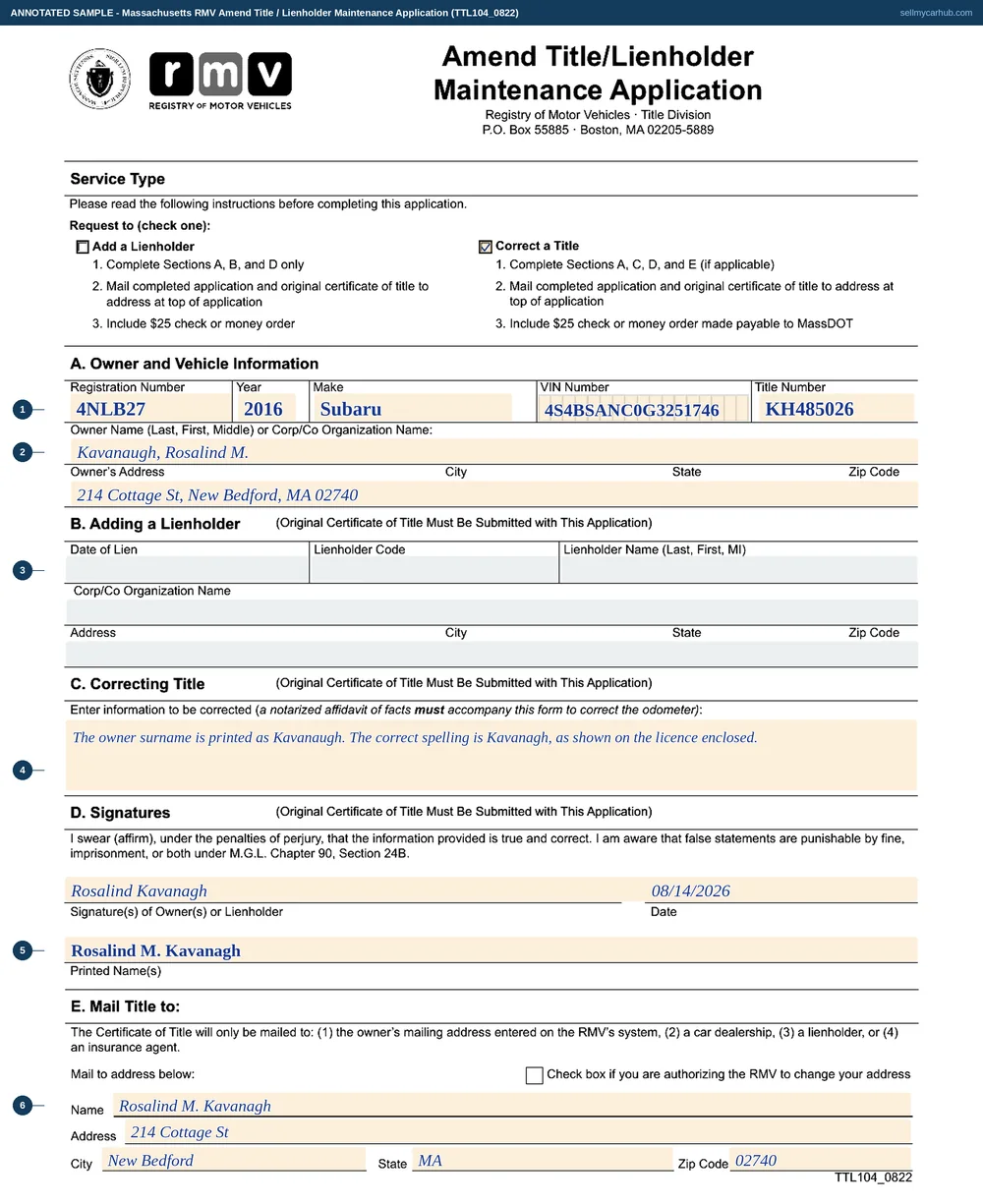
This is the actual TTL104, rendered from the PDF the Massachusetts Registry of Motor Vehicles publishes and completed end to end: letterhead, every field, and the blocks at the foot.

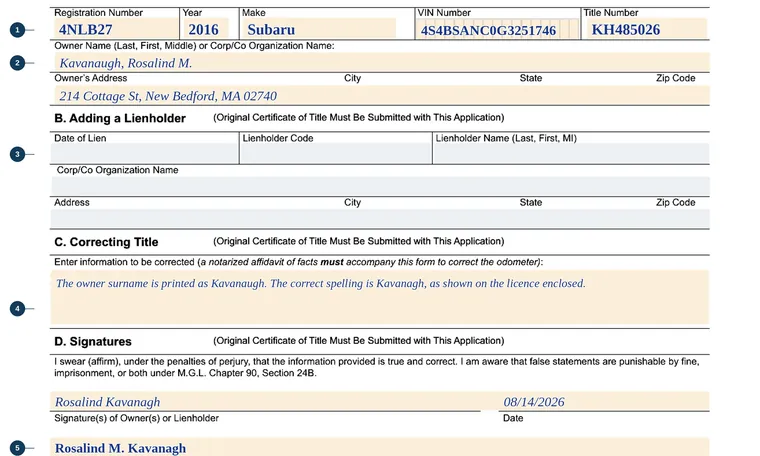
The Massachusetts Amend Title / Lienholder Maintenance Application filled in as an annotated sample with the Correct a Title box ticked: registration 4NLB27, a 2016 Subaru Outback with its vehicle identification number and title number, owner Rosalind M. Kavanagh of New Bedford, section B greyed as the lienholder half of the form, the correction block asking that the owner surname be corrected from Kavanaugh to Kavanagh, her signature and printed name, and the mail-to block completed with her own address.
Section B is greyed because the tick at the top of the form has already decided this is a correction rather than a lien being added. Two transactions share one sheet, and filling in the half you did not tick is how a $25 payment gets returned.
Field by field

Every line, in the order you meet it

  1. 1
    You fill this in

    Tick which transaction

    Add a lienholder, or correct a title. The instructions underneath each box tell you which sections to complete.

    Watch out: Ticking both is not a shortcut. They are separate transactions with separate fees, and the form is written on the assumption that exactly one box is marked.

  2. 2
    You fill this in

    Section A, the vehicle and the owner

    Registration, year, make, vehicle identification number, title number, owner name and address.

    Watch out: Enter the owner name as the certificate currently prints it, wrong spelling and all. Section C is where the right version goes.

  3. 3
    You fill this in

    Section C, what needs changing

    One block for the information to be corrected.

    Watch out: Say what it says now and what it should say. A block that only contains the correct version leaves a clerk guessing which field it belongs to.

  4. 4
    You fill this in

    An odometer correction needs an affidavit

    The notarised affidavit of facts goes in the same envelope.

    Watch out: The requirement is printed inside section C itself. Mileage is the one field on a Massachusetts title that cannot be corrected on this form alone.

  5. 5
    You fill this in

    Section D, sign and print

    Owner or lienholder, signed and printed, under the penalties of perjury.

    Watch out: The original certificate goes in with it. The Registry cannot amend a title it does not hold.

  6. 6
    You fill this in

    Section E, where the new title goes

    The owner's address on file, a dealership, a lienholder, or an insurance agent.

    Watch out: There is a tick box for authorising the Registry to change your address at the same time. If you have moved, use it, or the corrected certificate follows the old address.

  7. 7
    You fill this in

    $25 to MassDOT

    Cheque or money order with the form and the certificate, to the Title Division at PO Box 55885, Boston.

    Watch out: Amend title, add lienholder and delete lienholder are all $25 on the Registry's fee schedule, and each one is a separate transaction.

At a glance

What goes where

On the formWhat to put in it
Service TypeTwo tick boxes with different instructions under each. Add a lienholder means sections A, B and D; correct a title means sections A, C, D and E if applicable.
A, Owner and Vehicle InformationRegistration number, year, make, vehicle identification number, title number, the owner's name or organisation, and the owner's address.
B, Adding a LienholderDate of lien, lienholder code, lienholder name, corporate name, and address. The original certificate must be submitted with it.
C, Correcting TitleOne block for the information to be corrected, with a printed warning: a notarised affidavit of facts must accompany this form to correct the odometer.
D, SignaturesOwner or lienholder signs and prints, under the penalties of perjury.
E, Mail Title toWhere the corrected certificate goes. Only four destinations are allowed - the owner's mailing address on the Registry's system, a car dealership, a lienholder, or an insurance agent.

What gets this one rejected

Every line here was read off TTL104 (TTL104_0822, August 2022) itself — the PDF is here — and off the Massachusetts Registry of Motor Vehicles pages. This is plain-language help with a form, not legal advice, and where our wording and the agency's differ, theirs governs.

Back to all Massachusetts seller paperwork, or what selling a car in Massachusetts involves.

Want the paperwork handled instead?

Get My Instant Offer → Online · about 2 minutes · free

Or send the details — we'll come to you

A name that no longer matches the certificate stops a private sale dead. It does not stop us. Tell us what the title says and what your licence says.

or call/text (877) 405-1808